
Product
Bring your records with you, from Excel or CSV
The people you support, your staff and their checks, contacts, leave, the planned rota and past timesheets, checked row by row before anything is saved.
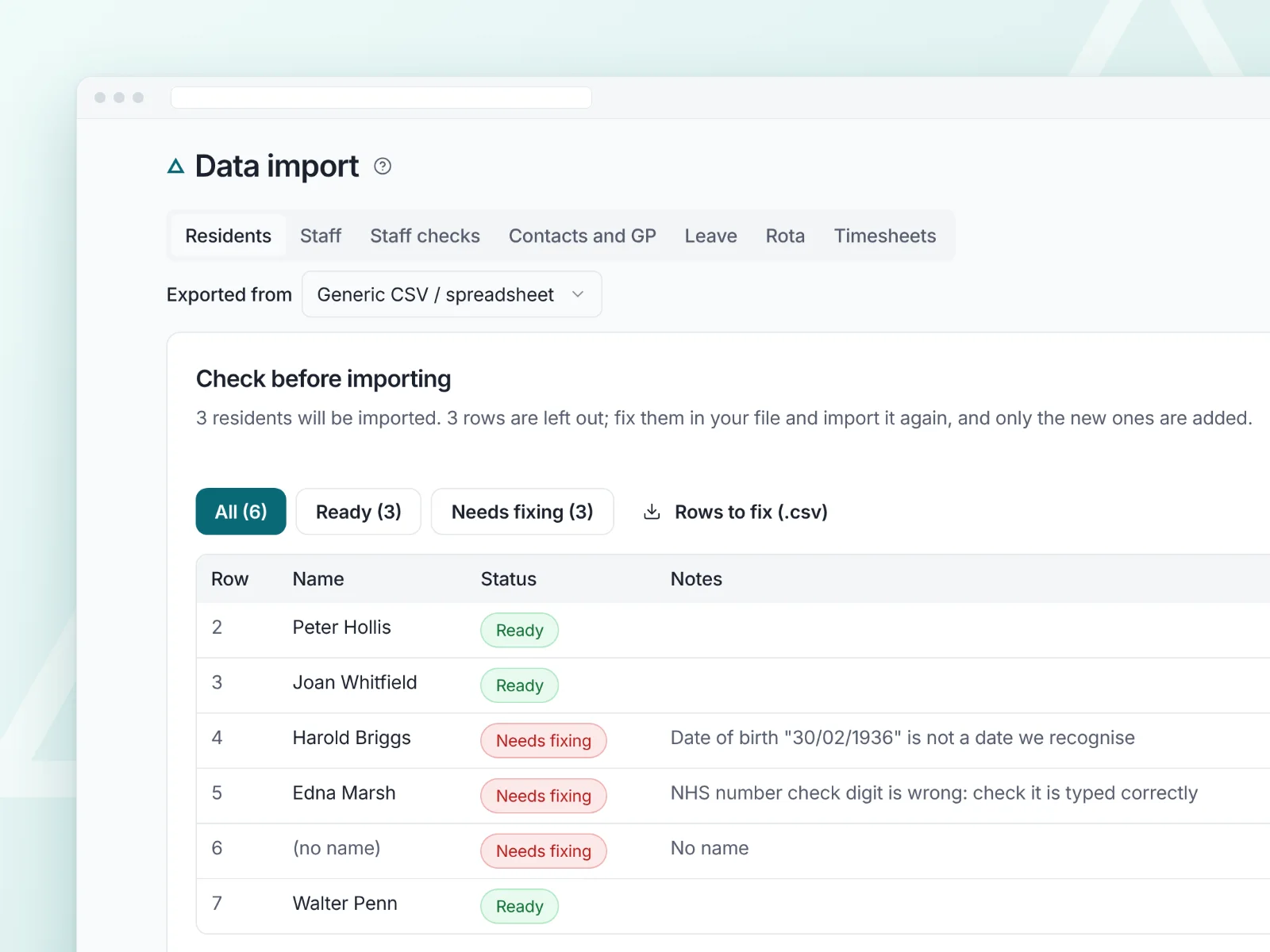
Changing care software usually stalls on the data: retyping every person and every member of staff, or trusting an import you cannot check. Aiderra reads the spreadsheet you already have, suggests which column is which, and shows every row that needs fixing before anything is saved.
Why teams choose Aiderra
Excel or CSV, including other systems' exports
Upload a spreadsheet or an export from your current system. Aiderra suggests which column is which, and for the people you support it knows the column names used by exports from Nourish, Birdie, CarePlanner, Access Care Planning, Log my Care and PASS.
Checked before it is saved
Every row is checked before anything is written. The rows that need fixing download as a file, so you correct those and import them again rather than starting over.
More than names
Staff checks (DBS, right to work and NMC PINs), next of kin and GP details, booked leave, the planned rota and past timesheets import too, so a new system starts with the records an inspector asks about.
Every import can be undone
Each import is kept as a batch with its source and row count. If something came in wrong, undo the batch and import it again.
Features included
- Excel (.xlsx) and CSV
- Suggested column matches, with names known from Nourish, Birdie, CarePlanner, Access Care Planning, Log my Care and PASS exports
- People you support, with contact, next of kin and GP details
- Staff, with DBS, right to work and NMC details
- Booked leave, the planned rota and past timesheets
- Every row checked before saving; rows to fix download as a file
- Each import undoable as a batch
Frequently asked questions
Which plan includes the importer?
Every plan. It is part of setting up, and there is no charge for it.
Is there a guide for moving from my current system?
Yes. The migration guides cover moving from each of the main UK care platforms, and the importer is the step where your records come across.
See Data import in your service
Try it with your own team free for 30 days, with no card needed. Or book a 20-minute demo tailored to your setup: no slide decks, just the product.